Eight add-ins for model QA, clash coordination and export
Check models against your standard, send clash response sheets in one run, find the busiest clash zones on a map, and follow clashes from Navisworks into Revit. One installer, one licence.
Full features during the trial. No card needed. Your model is never saved by GBIM.
The toolbox
All eight come in one installer and work with one licence per user.
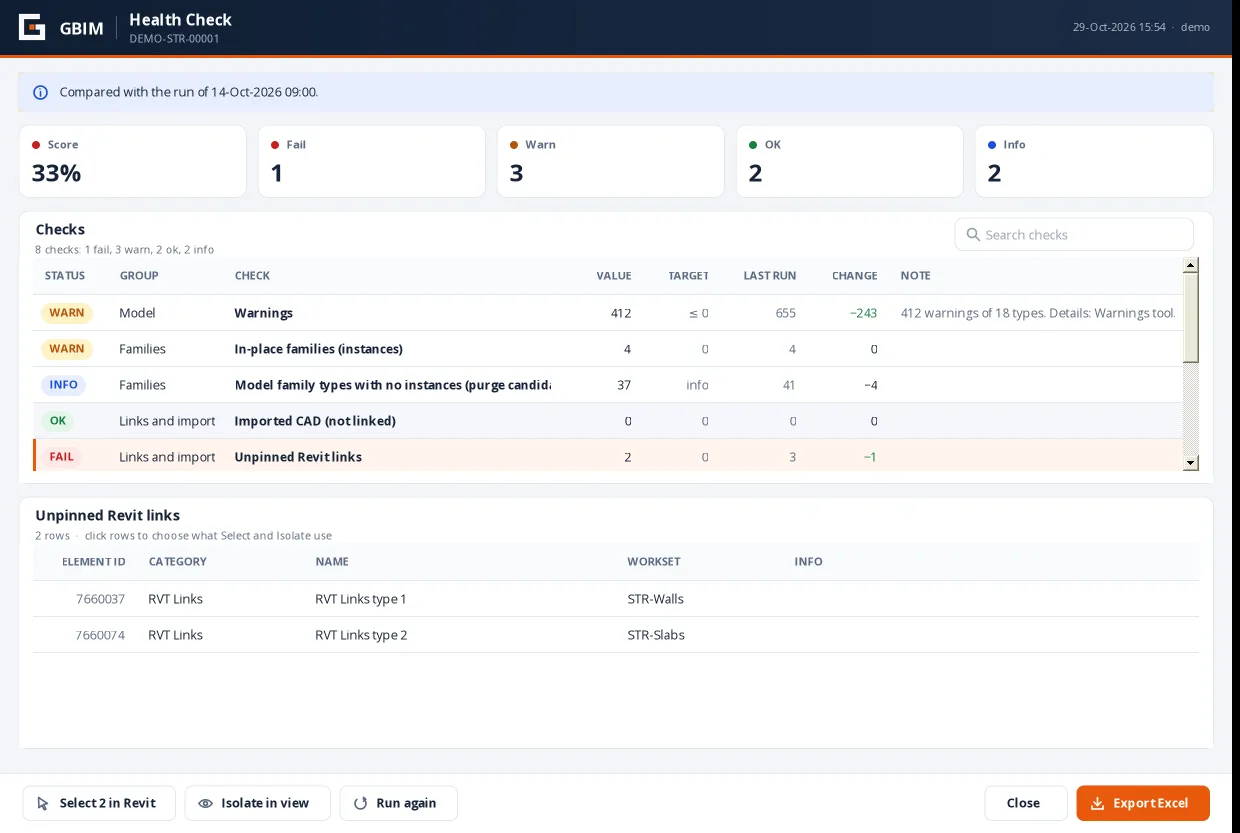
GBIM QA
REVIT 2023–2027Model health and standards: score, naming, parameters, colour by value, safe cleanup.
See GBIM QA →Clash Report
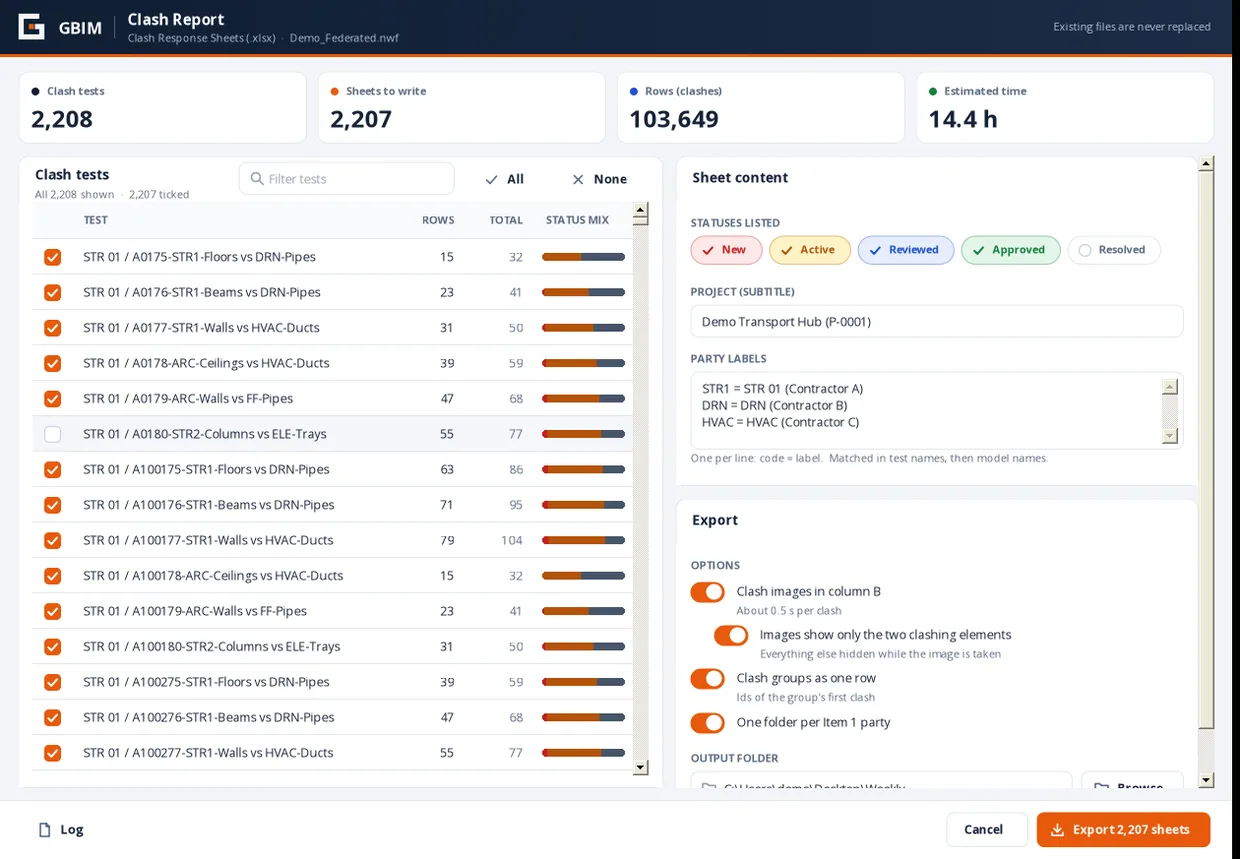
NAVISWORKS MANAGE 2026–2027Clash Response Sheets in Excel for every clash test, with clash distance and images of only the two elements.
See Clash Report →Clash Manager
NAVISWORKS MANAGE 2026–2027Every clash of an element across all tests; bulk status changes; re-import returned sheets; a clash map by zone.
See Clash Manager →Clash Sync
REVIT 2023–2027 + NAVISWORKS MANAGE 2026–2027Click a clash in Navisworks; Revit shows the same two elements in a section-boxed 3D view.
See Clash Sync →Clash Import
REVIT 2023–2027 + NAVISWORKS MANAGE 2026–2027Bring Navisworks clashes into a Revit browser: zoom, make views per clash or group, write parameters, place flags.
See Clash Import →GUID Audit
REVIT 2023–2027Shared parameter audit: wrong GUIDs, duplicates, names and data types against your SP file and list.
See GUID Audit →GBIM Tools
REVIT 2023–2027Link ID: click an element in a link to copy its ID. Plan Box: a 3D section box from a plan area.
See GBIM Tools →GBIM Export
REVIT 2023–2027Sheets to PDF and DWG, 3D views to IFC and NWC, named by your pattern, in one run.
See GBIM Export →Made on live projects, not in a lab
GBIM was built by a BIM coordinator on large construction projects, to remove the slowest parts of the week: response sheets, status updates, chasing elements across models and checking standards.
- Never saves your model; every change is an Undo step.
- Never overwrites a file: reports and rules are versioned.
- Works offline for 14 days at a time.
- Per-user install, no administrator rights needed.
Questions
Which Revit and Navisworks versions?
Revit 2023–2027 and Navisworks Manage 2026–2027. The installer only offers the add-ins whose host is installed.
Does GBIM change or save my model?
No add-in saves the model. Tools that change it (renames, cleanup, views, statuses) do it as one Undo step, and show what will change first.
How does the licence work?
One key per user, active on one computer at a time. You can release it and move it yourself. It checks online every few days and keeps working 14 days offline.
Can my company buy several seats?
Yes: a 5-user pack is $599 per year. Contact support@YOUR-DOMAIN.com for more seats or an invoice.