Add-ins / GBIM QA
Revit 2023–2027
GBIM QA
Check a Revit model against its BIM standard in minutes, fix names safely, and clean up without breaking anything.
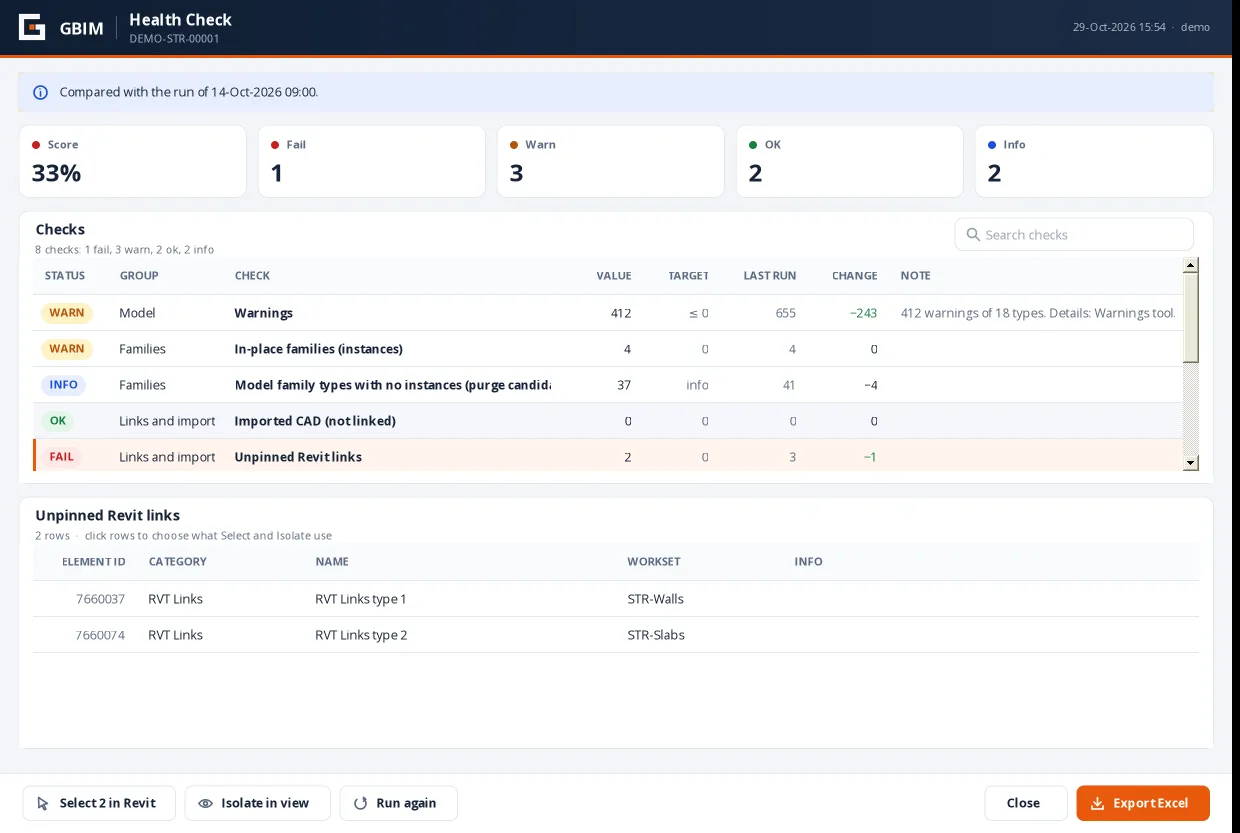
23health checks with a score and history
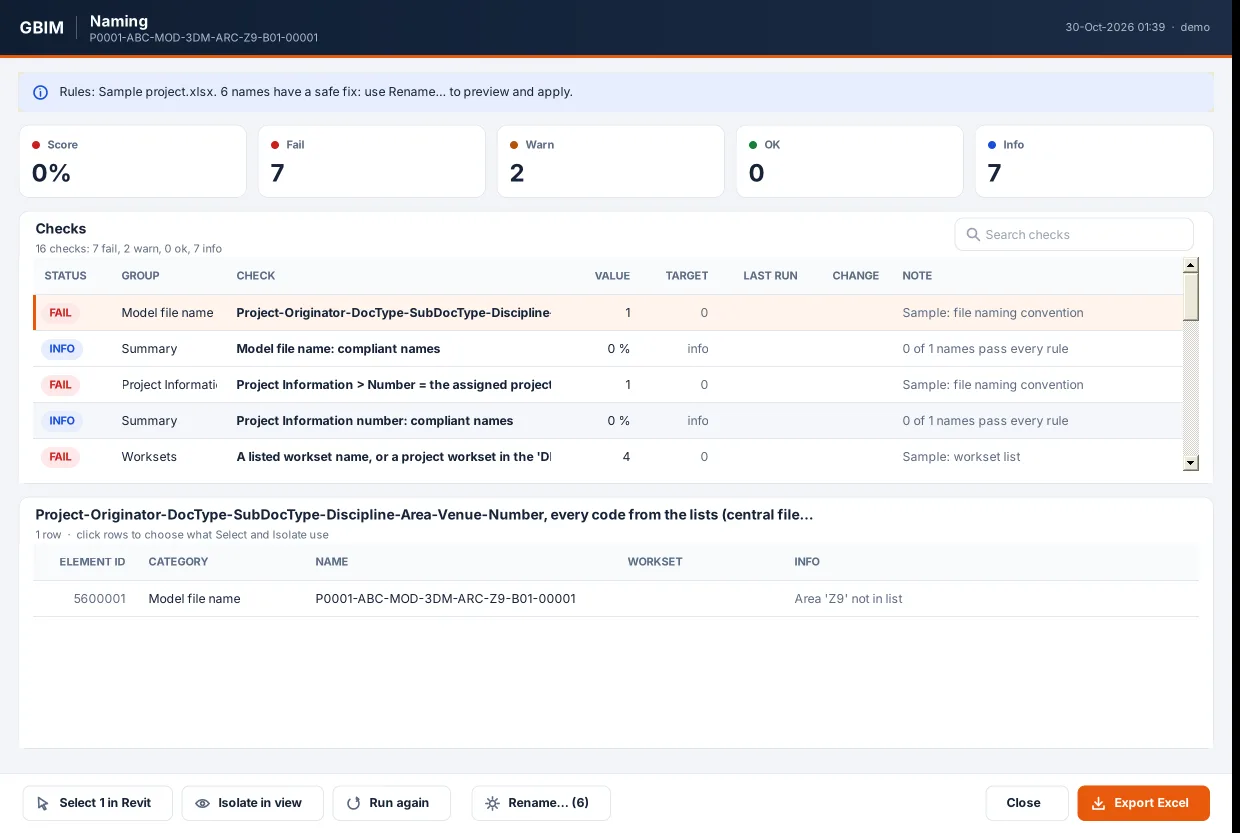
50 msto check 6,000 names against your lists
0files overwritten: reports and rules are versioned
Model Health
- Health Check: 23 checks (warnings, in-place families, imports, unpinned links, file size…) with a score and the change since the last run.
- Warnings, Views and Sheets, Links and Coordinates in the same window, with Select and Isolate.
- Excel export: scorecard, every element, and history by run.
Standards
- Naming: your rules from an Excel workbook (file, worksets, types, families, tags, materials), with a rename preview that only applies safe fixes.
- Parameters: required parameters by LOD, with empty, invalid and missing values listed.
- Colour by Parameter: a temporary coloured copy of the view, with a legend you can select from.
- Safe Cleanup: unused filters, templates, patterns, styles and materials; a dry run proves nothing placed is deleted.
Rules
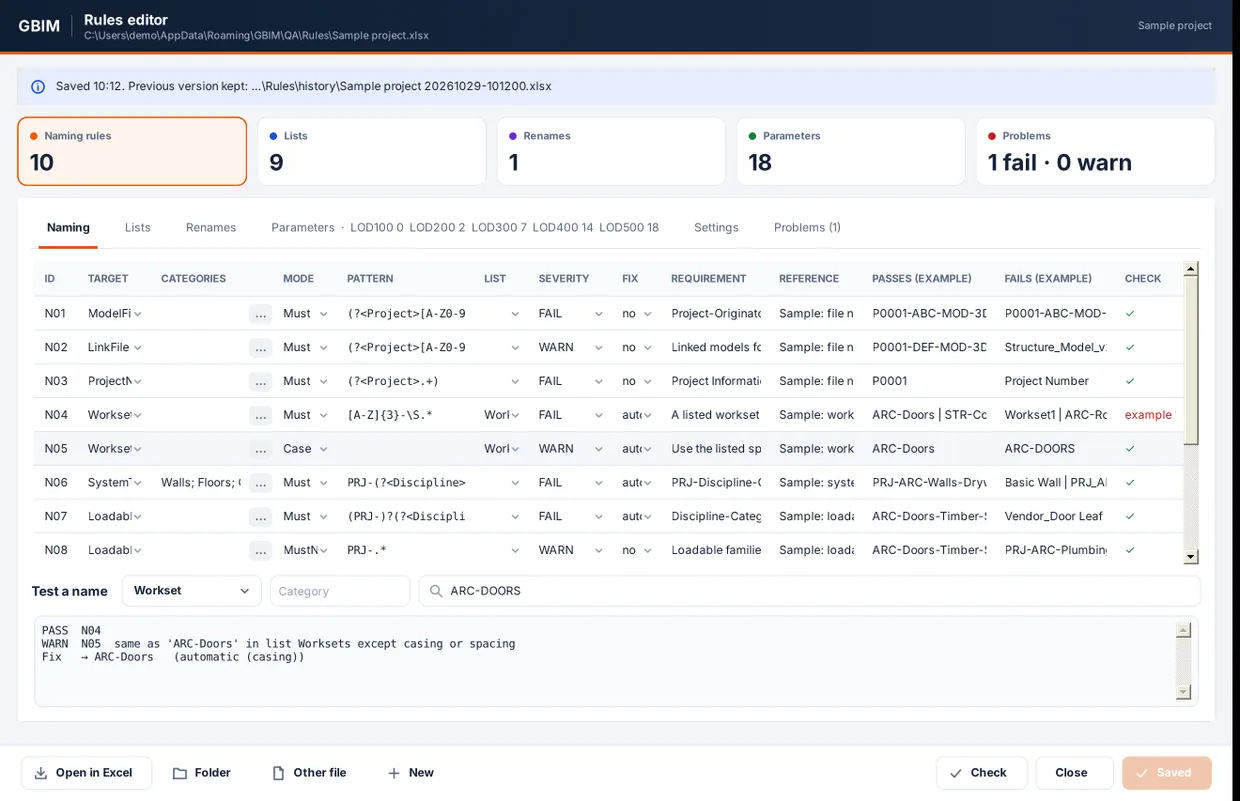
- A Rules editor inside Revit and a blank template for Excel, with drop-downs and a live “test a name” box.
- Ships with a generic Sample project rule set to start from.
Included in every GBIM licence
GBIM QA comes with the other seven add-ins in one installer and one licence: $149 per user per year.