Add-ins / Clash Manager
Navisworks Manage 2026–2027
Clash Manager
See where an element clashes in all tests, approve it in one step, read statuses back from returned sheets, and find the busiest zones on a map.
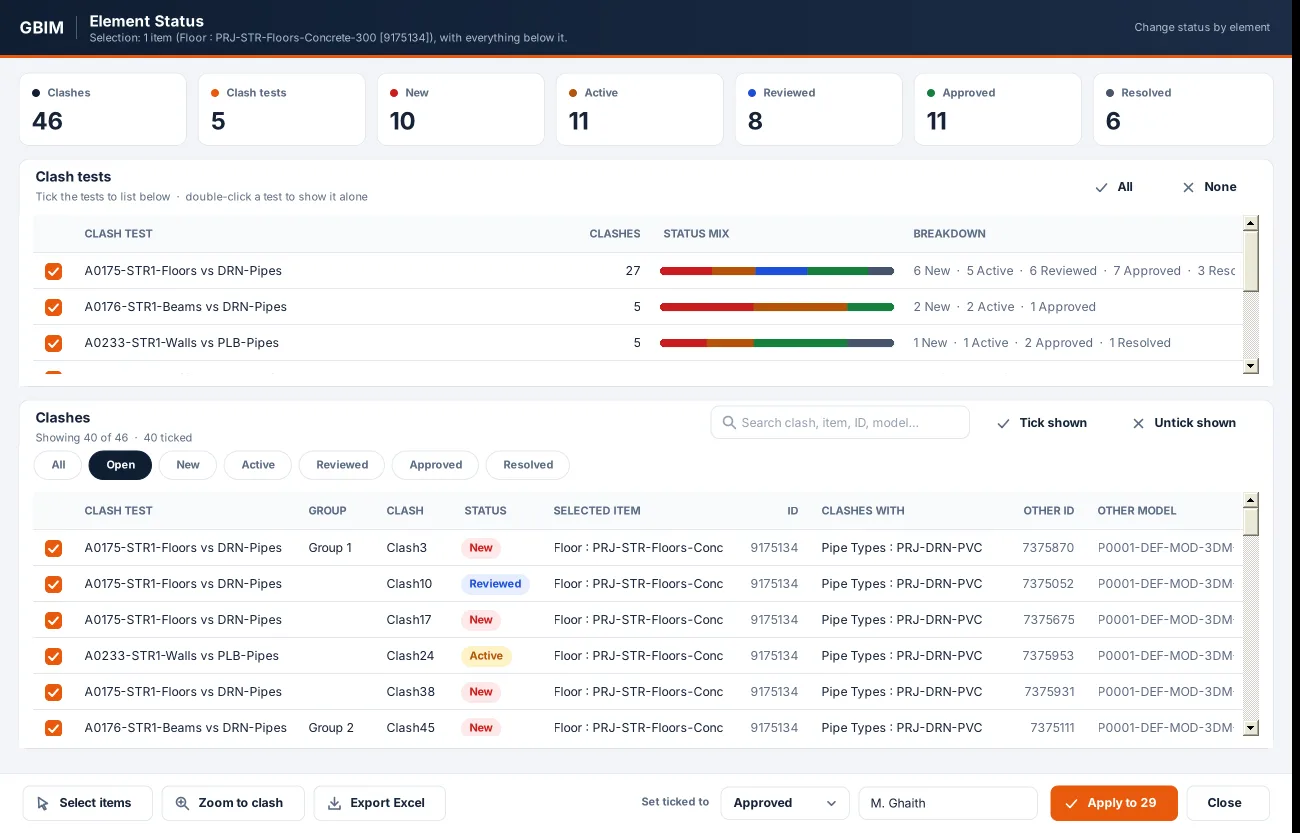
All testssearched for the selected element and everything below it
9match outcomes checked before a status changes
1Undo step for every bulk change
Element Clashes
- Pick elements; get every clash in every test, with the other element, its ID and model.
- Set the ticked clashes to any status; Approved also stamps Approved By and time.
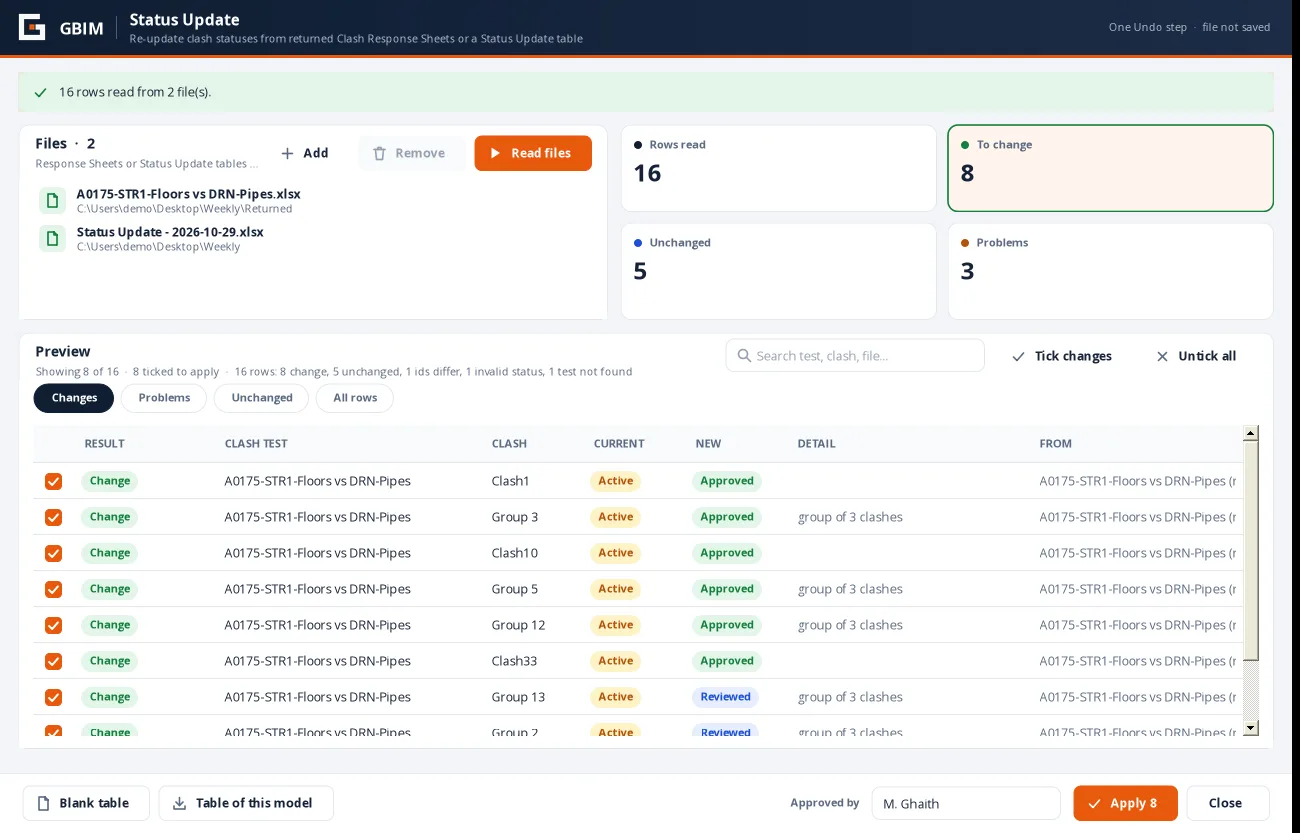
Status Update
- Read returned Clash Response Sheets or a simple status table, several files at once.
- Clashes are matched by test, clash name and element IDs; only real changes are ticked; problems are listed, not guessed.
Clash Map
- Every clash placed in a zone (level and grid bay); each zone is one bulb, red, yellow or green by its clash count, with no thresholds to set.
- Click a zone to list its clashes: the model and the other zones dim, and its clashes show as small bulbs; click one to go to it, then save the chosen clashes as viewpoints.
- The map is saved, so you can open it again later and carry on where you left off.
Included in every GBIM licence
Clash Manager comes with the other seven add-ins in one installer and one licence: $149 per user per year.